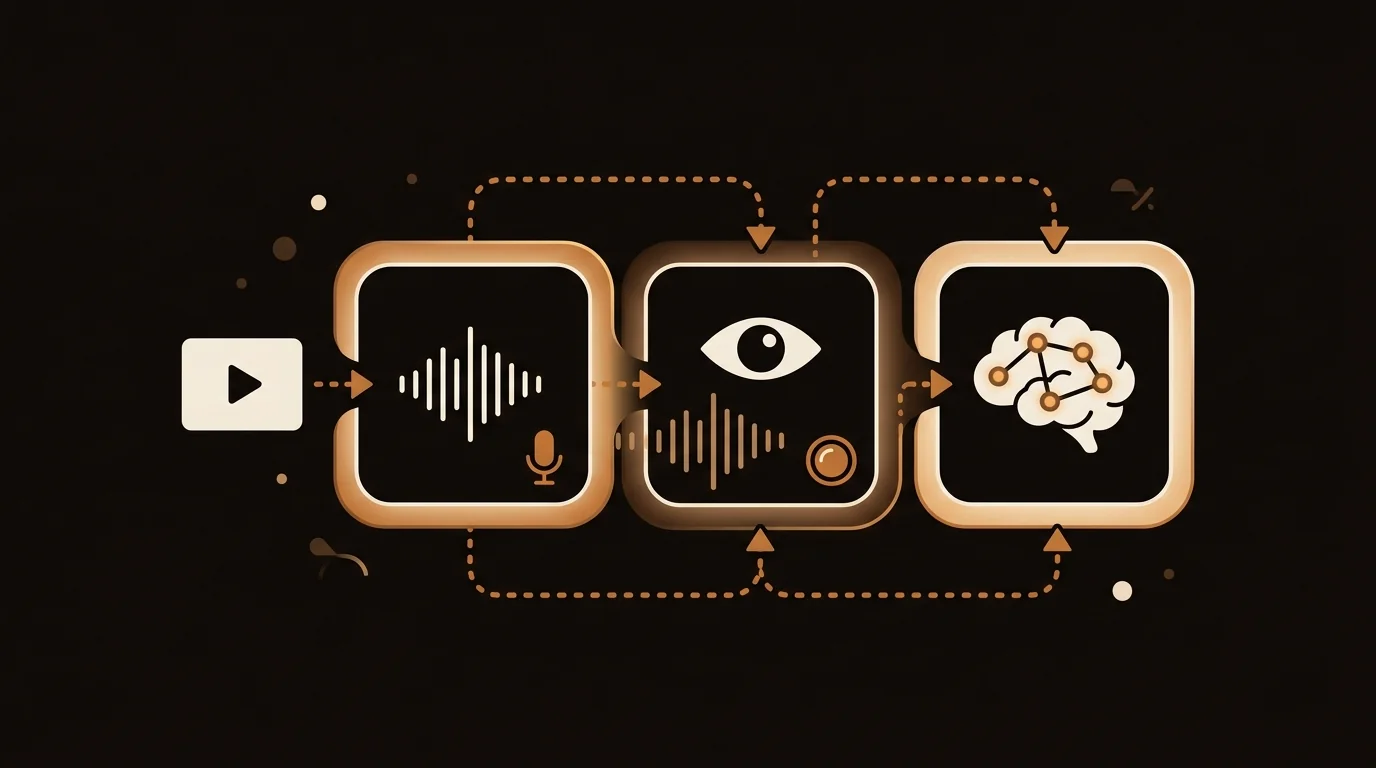
"Can AI watch a video?" is the most common question in our support queue — usually from someone who just got a confusing or incomplete summary and wants to know why. The short answer is yes, but the mechanism is nothing like how a person watches something. Once you understand the three steps involved, it's immediately obvious what AI gets right and what it consistently misses.
What "AI Watching a Video" Actually Means
When you watch a video, you're processing everything at once — what someone says, how they say it, what's on screen behind them, what they're gesturing at. It's continuous and parallel.
AI doesn't work that way. It works in discrete steps:
- Extract the audio → run it through a speech-to-text model
- Sample video frames → run them through a vision model (optional, depending on the tool)
- Feed the resulting text → into a large language model for reasoning, summarization, or Q&A
This is called a multimodal pipeline, and the quality of each step determines the quality of the final analysis.
At sipsip.ai, we've processed hundreds of thousands of videos through this pipeline. Here's what each layer actually does.
Layer 1: Audio Transcription
The most reliable layer. Speech-to-text models have matured significantly in the past three years.
How it works: The audio track is extracted from the video file (or fetched from a stream). It's split into ~30-second segments and run through a transcription model. The most widely used is OpenAI's Whisper, an encoder-decoder transformer trained on 680,000 hours of multilingual audio.
What it produces: A timestamped transcript with speaker labels (if diarization is enabled), punctuation, and language detection.
Accuracy: Whisper large-v3 achieves approximately 2–5% word error rate on clean English audio. Accuracy drops on:
- Heavy accents (up to 15% WER)
- Background noise or music
- Rapid speech or technical terminology
- Languages outside the top 30 by training data volume
What it misses: Anything purely visual — on-screen charts, diagrams, code shown on a whiteboard, speaker gestures, or visual demonstrations. A lecture that writes equations on a board without narrating them will have those equations absent from the transcript.
This is why transcription-only AI analysis works excellently for podcasts, interviews, and talking-head videos — and less well for tutorial videos where the instructor's actions are the content.
Layer 2: Visual Frame Analysis
Not all AI video tools include this layer. It adds cost and latency, and it's only necessary for content where the visual channel carries information the audio doesn't.
How it works: Frames are sampled at fixed intervals (typically every 2–10 seconds for analysis, every 1–2 seconds for dense content). Each frame is encoded by a vision model — commonly CLIP, LLaVA, or the vision component of GPT-4V / Gemini.
The vision model converts each frame into a text description: "Slide showing three columns: 'Before AI,' 'Current State,' 'Future State.' Speaker is pointing to the middle column."
These frame descriptions are interleaved with the audio transcript to create a richer document.
What it adds:
- On-screen text (slides, code, diagrams)
- Visual demonstrations ("the speaker opens the Settings panel and clicks...")
- Scene changes and scene context
- Speaker identity and non-verbal cues
Cost tradeoff: Visual analysis of a 1-hour video at 1 frame/second = 3,600 frames through a vision API. At current pricing (~$0.001/frame for GPT-4V), that's about $3.60 per hour of video — before the LLM summarization step. Transcription-only is roughly 20–50x cheaper.
This is why most AI video tools, including sipsip.ai's current pipeline, default to transcription-first with frame analysis used selectively for content types that require it.
Layer 3: LLM Reasoning and Output
Once you have a document — either a raw transcript or a transcript + frame descriptions — the heavy reasoning happens here.
The document is chunked to fit within the model's context window, passed to an LLM (GPT-4, Claude 3.5 Sonnet, or Gemini 1.5 Pro), and prompted for the desired output type.
Common outputs:
- Summary — condensed version of the full content
- Key points — extracted as a structured list
- Q&A — model answers questions about the video content
- Action items — extracted recommendations or tasks
- Chapters — segmented summaries tied to video timestamps
Context window limits: A 1-hour video at 120 words/minute ≈ 7,200 words of transcript — well within GPT-4's 128K token window. A 10-hour documentary ≈ 72,000 words — still within Gemini 1.5 Pro's 1M token window. For practical video lengths, context limits aren't usually the bottleneck in 2026.
The real quality driver is prompt design: how the LLM is instructed to handle the document. Generic summarization prompts produce generic summaries. System prompts that specify structure, depth, and output format (as we've tuned at sipsip.ai) produce consistently structured, usable output.
What AI Video Analysis Does Well vs. Poorly
| Content type | AI analysis quality | Why |
|---|---|---|
| Podcast / interview | ✅ Excellent | Audio-dominant, clean speech |
| TED talk / lecture | ✅ Excellent | Single speaker, clear diction |
| Tutorial with on-screen code | ⚠️ Good | Frame analysis needed for full context |
| Debate / multi-speaker | ⚠️ Good | Speaker diarization adds complexity |
| Music video | ❌ Poor | Lyrics transcribed but visual narrative lost |
| Silent film / animation | ❌ Poor | No audio channel to work from |
| Product demo with voiceover | ✅ Good | Voiceover narrates most of the visual |
How sipsip.ai Handles AI Video Analysis in Practice
sipsip.ai's Transcriber processes any YouTube URL, podcast link, MP3, or PDF through this pipeline automatically:
- Fetch the media (video, audio, or document)
- Extract and transcribe audio with Whisper large-v3
- Detect language and apply optional translation
- Chunk and summarize with Claude 3.5 Sonnet using structured prompts
- Return summary, key points, and full transcript to the user
For the vast majority of content users process — YouTube videos, podcast episodes, recorded meetings — the transcription-first pipeline captures 95%+ of the meaningful information at a fraction of the cost of full multimodal analysis.
For a deeper look at how the underlying transcription engine works, see Building Production-Grade Transcription with Faster-Whisper and How AI Video Summarizers Work Under the Hood.
The Honest Limits of AI Video Analysis
AI video analysis is remarkably powerful for spoken content. Its limitations are worth knowing:
- It can't see what the camera doesn't show. If a speaker gestures off-screen or references something visual without narrating it, AI misses it.
- It struggles with dense visual information. A chart with 50 data points is rarely fully captured — only the narration about it.
- It can't infer emotion or intent from tone reliably. Sarcasm, irony, and rhetorical questions are frequently misread as literal statements.
- Quality degrades with noisy audio. Field recordings, phone calls, or videos shot in loud environments see significantly higher transcription error rates.
These aren't failures of current AI — they're the inherent limits of analyzing a multimodal medium through text-primary channels. For most practical use cases (learning, research, content creation), the transcription layer alone provides more than enough signal to work with.
Related: How AI Video Summarizers Work — Building Production-Grade Transcription with Faster-Whisper — sipsip.ai Transcriber
Frequently asked questions

Across 8+ years, I've built full-stack and platform systems using TypeScript, Node, React, Java, AWS, and Azure, applying AI to practical problems and turning ambitious ideas into shipped products.


