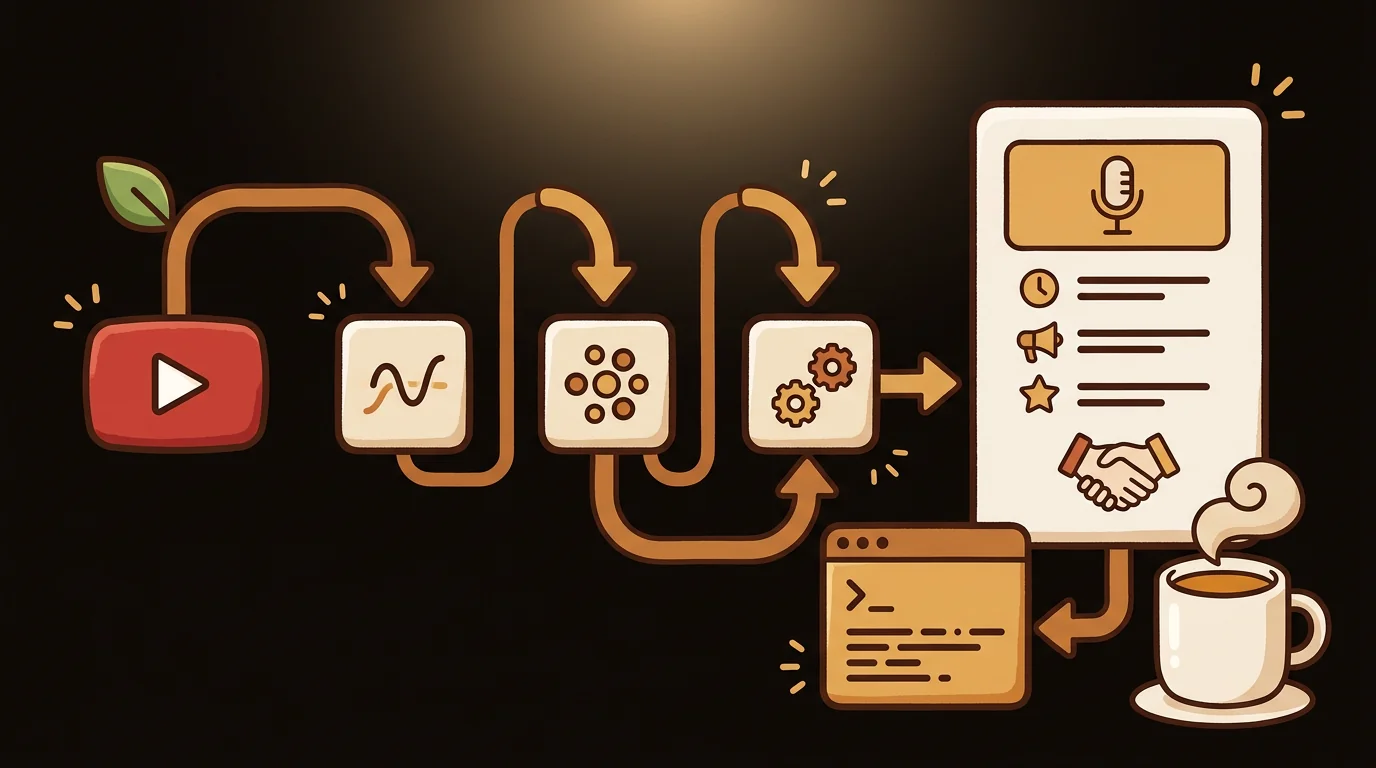
At sipsip.ai, we process thousands of YouTube video summaries per day. The core pipeline is straightforward: extract the transcript, chunk it if necessary, pass it to an LLM with a structured prompt, return structured output. Here's how to build it — including the production decisions that matter.
The Architecture
A YouTube video summarizer has two distinct parts:
1. Transcript extraction — Getting the text content of the video 2. LLM summarization — Processing that text into a structured summary
These are separable concerns and should be built as separate components. The transcript extraction layer handles YouTube-specific complexity; the summarization layer is generic text processing.
YouTube URL
    ↓
Transcript Extractor
    ↓ (raw transcript text)
Chunker (if > context limit)
    ↓ (transcript chunks)
LLM Summarization Prompt
    ↓
Structured Summary Output
    { summary, key_points, standout_quote }
Step 1: Transcript Extraction (No API Key Required)
The fastest path to YouTube captions is the youtube-transcript-api Python library. It reads caption data directly from YouTube's player API — no API key needed.
pip install youtube-transcript-api
from youtube_transcript_api import YouTubeTranscriptApi, TranscriptsDisabled, NoTranscriptFound

def get_youtube_transcript(video_id: str, language: str = "en") -> str:
    """
    Extract transcript text from a YouTube video.
    Returns plain text with no timestamps.
    """
    try:
        transcript_list = YouTubeTranscriptApi.list_transcripts(video_id)

        # Try manual captions first, fall back to auto-generated
        try:
            transcript = transcript_list.find_manually_created_transcript([language])
        except NoTranscriptFound:
            transcript = transcript_list.find_generated_transcript([language])

        # Join all segments into plain text
        return " ".join(segment["text"] for segment in transcript.fetch())

    except TranscriptsDisabled:
        return None  # Handle with audio fallback (see Step 3)
    except Exception as e:
        raise RuntimeError(f"Transcript extraction failed: {e}")


# Usage
video_id = "dQw4w9WgXcQ"  # Extract from URL: youtube.com/watch?v={video_id}
transcript = get_youtube_transcript(video_id)
print(f"Transcript length: {len(transcript.split())} words")
For extracting the video ID from a full URL:
import re

def extract_video_id(url: str) -> str:
    patterns = [
        r"(?:v=|youtu\.be/)([A-Za-z0-9_-]{11})",
        r"(?:embed/)([A-Za-z0-9_-]{11})",
    ]
    for pattern in patterns:
        match = re.search(pattern, url)
        if match:
            return match.group(1)
    raise ValueError(f"Could not extract video ID from: {url}")
Step 2: LLM Summarization
With the transcript in hand, the summarization prompt is the critical engineering decision. Vague prompts produce vague summaries. Structured prompts produce structured, consistent output.
from anthropic import Anthropic

client = Anthropic()

SUMMARY_PROMPT = """You are summarizing a YouTube video transcript for a reader who wants to understand the video's content without watching it.

Transcript:
{transcript}

Return a JSON object with exactly these fields:
- "summary": A 2-3 sentence summary of what the video covers and its main argument or conclusion
- "key_points": An array of 4-6 bullet points capturing the most substantive insights or information
- "standout_quote": The single most quotable or insight-dense sentence from the transcript (verbatim)

JSON only, no other text."""

def summarize_transcript(transcript: str) -> dict:
    response = client.messages.create(
        model="claude-sonnet-4-6",
        max_tokens=1024,
        messages=[{
            "role": "user",
            "content": SUMMARY_PROMPT.format(transcript=transcript)
        }]
    )
    import json
    return json.loads(response.content[0].text)
We use Claude claude-sonnet-4-6 at sipsip.ai for structured output tasks. The instruction-following on JSON format is more reliable than GPT-3.5 and the cost is significantly lower than GPT-4o for this use case.
Step 3: Handling Long Transcripts
A 60-minute YouTube video produces roughly 8,000–12,000 words of transcript text — well within Claude claude-sonnet-4-6's 200K token context window. For most videos, you can pass the full transcript in a single call.
For very long videos (3+ hours, 40,000+ words), chunking is necessary:
def chunk_transcript(transcript: str, max_words: int = 6000) -> list[str]:
    """Split transcript into chunks at sentence boundaries."""
    words = transcript.split()
    chunks = []
    current_chunk = []

    for word in words:
        current_chunk.append(word)
        if len(current_chunk) >= max_words and word.endswith(('.', '!', '?')):
            chunks.append(" ".join(current_chunk))
            current_chunk = []

    if current_chunk:
        chunks.append(" ".join(current_chunk))

    return chunks


def summarize_long_transcript(transcript: str) -> dict:
    chunks = chunk_transcript(transcript)

    if len(chunks) == 1:
        return summarize_transcript(transcript)

    # First pass: summarize each chunk
    chunk_summaries = [summarize_transcript(chunk)["summary"] for chunk in chunks]

    # Second pass: summarize the summaries
    combined = "\n\n".join(chunk_summaries)
    return summarize_transcript(combined)
Step 4: Fallback to Audio Transcription
When a video has no captions — no auto-generated, no manual — you need to download the audio and transcribe it with a speech-to-text model.
import subprocess
import whisper

def transcribe_audio_fallback(video_id: str) -> str:
    """Download audio and transcribe with Whisper when captions unavailable."""
    audio_path = f"/tmp/{video_id}.mp3"

    # Download audio with yt-dlp
    subprocess.run([
        "yt-dlp", "-x", "--audio-format", "mp3",
        f"https://youtube.com/watch?v={video_id}",
        "-o", audio_path
    ], check=True)

    # Transcribe with Whisper
    model = whisper.load_model("large-v3")
    result = model.transcribe(audio_path)
    return result["text"]
At sipsip.ai, we use Deepgram Nova-2 for audio transcription in production rather than self-hosted Whisper — lower latency and comparable accuracy for speech-heavy content. For self-hosted deployments, Faster-Whisper is the better choice over vanilla Whisper (4x faster, same accuracy).
Production Considerations
Caching: YouTube transcripts don't change after upload. Cache the raw transcript aggressively. We cache transcript text in Redis with a 7-day TTL; the summarization output is cached indefinitely keyed on the video ID + model version.
Rate limiting: The youtube-transcript-api library will get throttled at high volume. In production, implement a queue with configurable concurrency and exponential backoff on 429 responses.
Error handling: Videos can have captions disabled, age restrictions, regional blocks, or private status. Each requires a distinct error code so your application can give the user an accurate message.
class TranscriptError(Exception):
    pass

class CaptionsDisabledError(TranscriptError):
    pass

class VideoUnavailableError(TranscriptError):
    pass

class NoLanguageAvailableError(TranscriptError):
    pass
Async processing: For a web application, transcript extraction + LLM call typically takes 5–15 seconds. Use async task processing (Celery, FastAPI background tasks) rather than blocking the HTTP request.
Full Pipeline: End-to-End Example
async def summarize_youtube_url(url: str) -> dict:
    """Complete pipeline: URL → structured summary."""

    video_id = extract_video_id(url)

    # Try caption extraction first
    transcript = get_youtube_transcript(video_id)

    # Fall back to audio transcription if no captions
    if transcript is None:
        transcript = transcribe_audio_fallback(video_id)

    if not transcript or len(transcript.split()) < 50:
        raise ValueError("Video transcript too short to summarize")

    # Summarize
    return summarize_transcript(transcript)
This is the core of what sipsip.ai's Transcriber runs for every YouTube URL submitted. The production version adds caching, job queuing, multi-language detection, and the standout quote extraction — but the pipeline above is the foundation.
What You Need
- Python 3.9+
youtube-transcript-api— transcript extraction (no API key)anthropicoropenaiSDK — LLM summarizationyt-dlp+openai-whisper— audio fallback (optional)- YouTube Data API v3 key — only if you need video metadata (title, channel, duration) beyond the transcript
For the YouTube Data API v3: create a project in Google Cloud Console, enable the YouTube Data API v3, and generate an API key. Free tier gives 10,000 units/day — sufficient for most development and moderate production use.
Frequently asked questions

Across 8+ years, I've built full-stack and platform systems using TypeScript, Node, React, Java, AWS, and Azure, applying AI to practical problems and turning ambitious ideas into shipped products.


