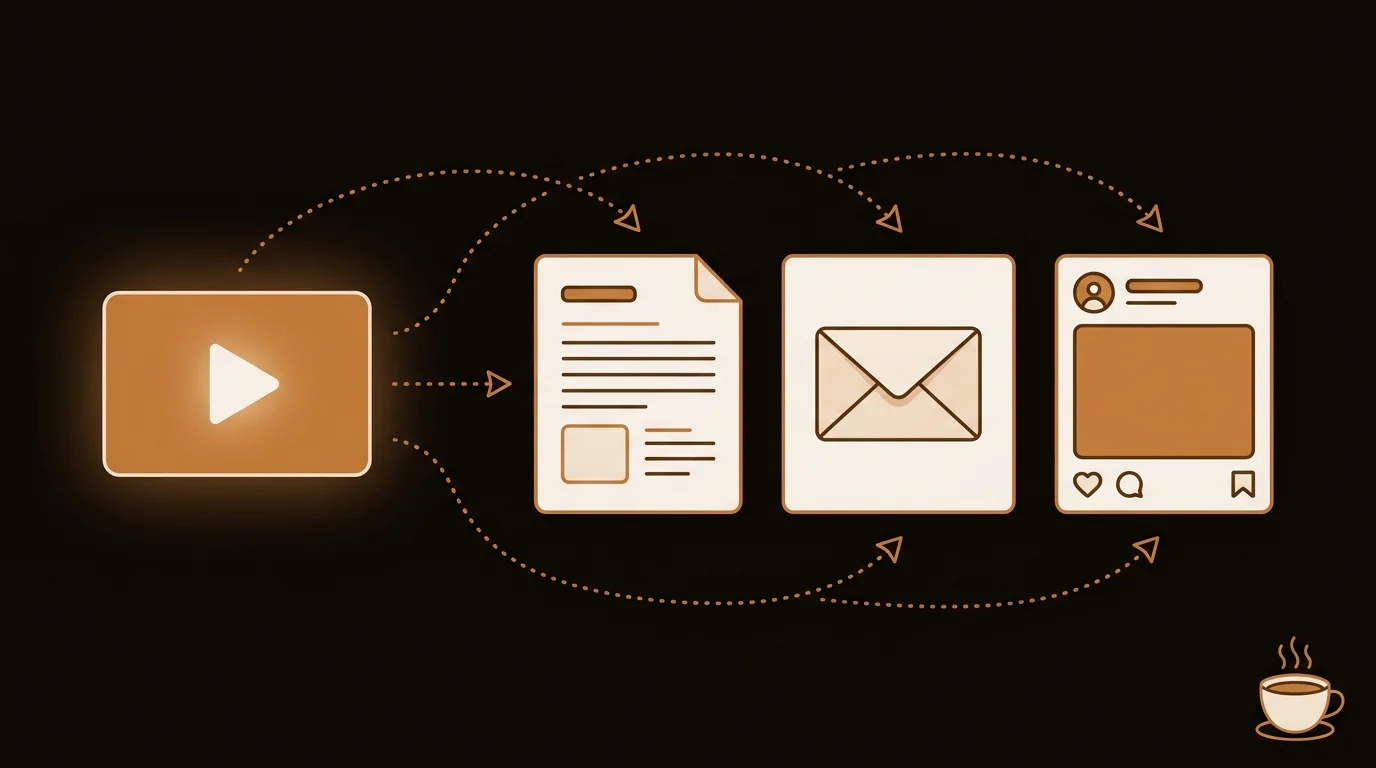
Every YouTube video you publish represents hours of thinking, structuring, and presenting. Most creators extract one piece of content from it — the video itself. A video transcriber changes that ratio.
Why Content Creators Leave Value on the Table
A 15-minute YouTube tutorial contains roughly 2,000–2,500 words of spoken content. That's a complete blog post. It's three to four newsletter sections. It's eight to ten points for a tweet thread. It's a script for a short-form clip.
And it's already written — it just isn't in text form yet.
The problem isn't ideas. It's friction. Manually typing a transcript takes longer than filming the video. So creators publish the video, write a short description, and move on. The written version never exists.
A video transcriber removes that friction entirely. You get the full text — with timestamps, punctuation, and an AI summary — in the time it takes to upload a file.
What a Video Transcriber Produces
When you run a video through a modern AI video transcriber, you get:
- Full transcript — every word, punctuated and formatted, with optional timestamps
- AI summary — the key points distilled into 200–400 words
- Highlights — the most quotable or shareable sentences, flagged automatically
- Export formats — plain text, Markdown, or PDF, ready to paste into your writing tool
This is your content raw material. The transcript is the clay. Everything else — the blog post, the newsletter, the tweet thread — is shaped from it.
5 High-Value Content Types From One Video Transcript
1. Blog Post (Highest SEO Value)
A video transcript maps almost directly onto a blog post outline. Your video sections become H2 headings. Your explanations become paragraphs. Your examples stay as examples.
The main editing work: tighten spoken-word phrasing (people speak in run-on clauses), cut filler phrases, add a short intro that states what the reader will learn, and write a CTA at the end.
Time investment: 20–40 minutes for a 800–1,500 word post from a 10–15 minute video.
SEO value: High. Google indexes text, not video. The blog version of your video gets discovered by people who search, not just people who follow YouTube recommendations. Old videos that stopped getting suggested views start generating organic traffic through search.
2. Email Newsletter
A newsletter is not a blog post — it's a conversation. Take the 3–5 most interesting or counterintuitive points from your transcript and write them as short, direct paragraphs. Add context for subscribers who haven't watched the video. Link back to it.
A 20-minute video comfortably fills one full newsletter issue with material to spare. The content is already researched, structured, and interesting — you selected it that way when you scripted the video.
3. Tweet Thread or LinkedIn Post
Pull the most specific, quotable insight from the transcript — the one claim that made your argument land. Lead with it as an opening hook, expand into 5–7 supporting points from the rest of the video, and close with the key takeaway.
Specificity wins on social. "AI transcription accuracy ranges from 90–96% on clear speech" outperforms "AI transcription is getting really accurate." The transcript gives you the specifics you already said but probably didn't think to post.
4. Short-Form Video Script
Identify the densest 90 seconds of your video — the moment where the most insight landed in the least time. Copy that section of the transcript and format it as a Shorts, Reels, or TikTok script. Add a hook at the top and a redirect to the full video at the end.
You have a short-form video outline without writing anything new. The transcript tells you exactly where your best 90 seconds are.
5. Course Study Guide or Companion Resource
If your content is educational, the transcript becomes a study guide. Format the key points as numbered takeaways, bold the terms that matter, add examples in a separate callout. Offer it as a downloadable PDF alongside the video — it extends the value of the content and gives you an email capture.
The Full Workflow: From One Video to Five Outputs
Here's the exact sequence, end to end:
- Record your video as you normally would. No changes to production.
- Upload the file or paste the YouTube URL into sipsip.ai's video transcriber. YouTube URLs use the fast path (subtitle extraction plus AI polish). Uploaded video files run through Whisper speech recognition.
- Download the transcript and AI summary. Open both in your writing tool — Notion, Google Docs, or wherever you write.
- Write the blog post first. It's the most structured of the five formats and forces you to organize the material. Your video's section structure is already your outline.
- Extract the newsletter from the blog post. Pull the best 3–5 points, compress into direct paragraphs, add a link to the full post and the video.
- Pull the tweet thread from the blog post's most specific insight and the intro hook.
- Find the short-form clip by scanning the transcript for the densest 90-second section.
- Format the study guide if the topic is educational and your audience would use a reference document.
Total time to produce all five: 90–120 minutes from a single 15-minute video. Compared to producing five pieces of content from scratch, you've cut the work by roughly 70%.
What Makes a Good Transcript for Repurposing
Not all transcripts are equally useful as raw material. Three things determine quality:
Accuracy. Errors in the transcript propagate into every piece of content you derive from it. One misheard sentence becomes a wrong claim in your blog post. Tools using Whisper-class models (including Sipsip) keep errors low enough for direct use — typically one to three corrections per 10 minutes of speech on clear recordings.
Formatting. A wall of unpunctuated text is significantly harder to work with than a clean, paragraph-broken transcript. Sipsip applies punctuation and paragraph breaks automatically. Some tools return raw text that needs manual cleanup before it's usable as writing material.
Summary alongside. An AI summary next to the transcript saves time during the editing phase. You can check what the model identified as the most important points and see if your judgment agrees. It often surfaces the blog post's lede — the strongest opening — that you didn't consciously identify while scripting.
For most video content, Sipsip's video transcriber handles the transcription and summarization in one step — giving you everything you need to start the five-content workflow immediately after your video goes live.
If you want to see how other creators are using video transcription in their workflows, the Sip Together community has shared transcripts and summaries across topics — a practical look at what this output looks like across different content types.
Frequently asked questions

With a background spanning advertising and internet, I've launched 8+ apps and built 10+ products across mobile, web, and AI. Now I'm building a system that extracts signal from noise — turning fragmented information into clear, actionable decisions.


