I recorded my first qualitative interview in October. By December, I had seventeen recordings sitting in a folder, none of them transcribed. I knew what was in those files — a combined twelve hours of conversation about how graduate students experience cognitive load during thesis writing — but I couldn't analyze what I couldn't read.
That bottleneck is why I care about the phrase transcription audio to text example more than most people. Not as a search query. As a real problem I had to solve before my dissertation timeline collapsed.
Here is exactly what I do now, from hitting "stop" on the recorder to having a citable, searchable document ready for NVivo.
The recording: what I start with
My standard setup is a Zoom H1n recorder placed on the table between me and the participant. It exports M4A files. A typical interview runs 45–65 minutes, which produces a file around 60–80 MB.
The recording quality matters a lot. In my first few interviews I let ambient noise go unchecked — a radiator, traffic outside the window — and the transcription accuracy dropped noticeably on those files. Now I bring a small folding acoustic panel and do a 30-second test recording before we start. That single change improved accuracy on the harder files.
Before I upload anything, I rename the file with the participant code and date: P07_2026-01-14.m4a. This is a habit from my supervisor, and I'm glad I adopted it. Transcription tools return a file. If I haven't named the source clearly, I'm already losing track of which transcript belongs to which participant.
Uploading to sipsip.ai
I use sipsip.ai's Transcriber for all my research recordings now. The workflow is:
- Go to sipsip.ai, open the Transcriber
- Drag the M4A file into the upload area
- Set language to English (it auto-detects, but I confirm manually)
- Click transcribe
For a 60-minute interview, I get results back in under three minutes. I do not stay on the page — I switch to another task and come back when the transcript is ready.
Citation Capsule: A 2022 study in Qualitative Research in Psychology found that manual transcription takes approximately 4–6 hours per hour of audio for experienced researchers. AI transcription reduces that time by 85–90%, shifting researcher effort from typing to verification and coding. (Easton & Westergren, 2022)
What the transcript looks like
This is the part people often ask about when they haven't done this before. Here is a real excerpt from one of my transcripts (participant details changed):
[00:04:32] And the thing that I kept noticing, like, the thing I'd write in my notes, was that I couldn't hold two ideas at the same time. Like if I was thinking about the argument structure, I'd completely lose the sentence I was trying to write.

[00:04:51] That tracks with what you were saying earlier about the outline process?

[00:04:55] Yeah, exactly. It's almost like — I don't know if this is the right word — it's like a working memory thing. Where the overhead of the structure crowds out the language.
The timestamps are at the paragraph level, not every word. That's the format I prefer for research use — it gives me enough anchoring to verify a quote against the audio without making the document hard to read.
Speaker labels come through as [Speaker 1] and [Speaker 2]. I manually replace those with the participant code and my own initials before I code anything. Takes about four minutes per transcript and makes a real difference when I'm in NVivo six weeks later.
My verification pass
I do not skip this step, even on clean recordings. After the transcript generates, I run through it at 1.5x playback speed, following along in the text. I am not re-transcribing — I am listening for the categories of errors AI transcription makes consistently:
- Proper nouns: academic names, theory terms ("metacognition" sometimes comes out "meta cognition," which breaks NVivo searches)
- Hedges and qualifiers: "I think," "sort of," "not exactly" — these matter for qualitative coding and sometimes get dropped
- Overlapping speech: If the participant and I talk over each other briefly, the model sometimes stitches together a sentence that neither of us said
The verification pass on a 60-minute interview takes me about 25 minutes. Compare that to transcribing from scratch, which took me 4–5 hours on my first three interviews before I changed my workflow.
Citation Capsule: The American Psychological Association's Publication Manual (7th ed.) requires that verbatim quotations in qualitative research be checked against the original recording before publication. A transcript verification pass — even a quick one at 1.5x speed — satisfies this standard and protects against AI transcription artifacts in published work.
From transcript to citable document
Once the transcript is verified, I export it as a plain text file and import it into NVivo. The timestamps survive the import and become anchors I can use to return to the source audio.
For my literature review and results sections, I pull quotes from the transcript with this format:
"It's almost like a working memory thing. Where the overhead of the structure crowds out the language." (P07, 00:04:55)
The timestamp lets any reader — or my committee — verify the quote against the original recording. This matters more than most researchers realize until they're in a committee meeting and someone questions a specific quote.
The final file structure I keep for each participant:
/P07/
  P07_2026-01-14.m4a        ← original recording
  P07_2026-01-14_raw.txt    ← transcript before verification
  P07_2026-01-14_verified.txt ← transcript after my pass
  P07_notes.md              ← my field notes from the interview
The raw and verified files are both kept. If a question ever arises about what the AI produced versus what I changed, I have a documented record.
What I'd tell a first-year researcher
The transcription step used to feel like a wall. I'd record an interview and then look at it in my file browser with a kind of dread — knowing it represented hours of manual work before I could get to the part I actually trained for, which is analysis.
That wall is mostly gone now. A 60-minute interview takes me about 30 minutes to go from raw audio to a verified, importable transcript: three minutes of upload and processing, four minutes of speaker labeling, 25 minutes of verification. That's a task I can fit into a Tuesday afternoon rather than a weekend.
The tool I use is sipsip.ai. Free to start, no account required for your first transcript. If you're sitting on a folder of interview recordings you haven't touched yet, this is worth trying with one file before you commit to any workflow.
The first time I uploaded a 58-minute interview and got back a clean, timestamped transcript in under three minutes, I sat there for a moment not quite believing it had worked. Then I opened the file, ran my verification pass, and had a citable document before lunch.
That's the workflow. I've run it on sixty-three interviews now. It holds.
Ready to transcribe your research audio? Try sipsip.ai free — no account needed for your first transcript.
Frequently asked questions

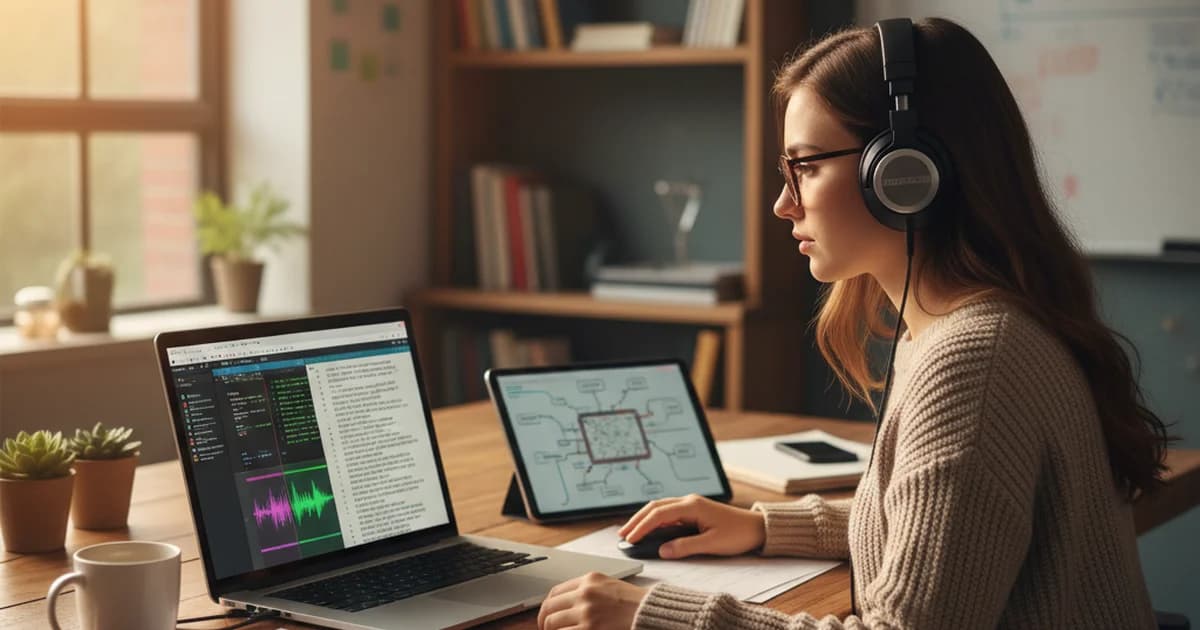
PhD candidate Amelia Scott walks through her exact workflow for transcribing qualitative research interviews — from raw audio to a searchable, citable document. Real steps, real output.